Digital Waitlist &
Eligibility Verification
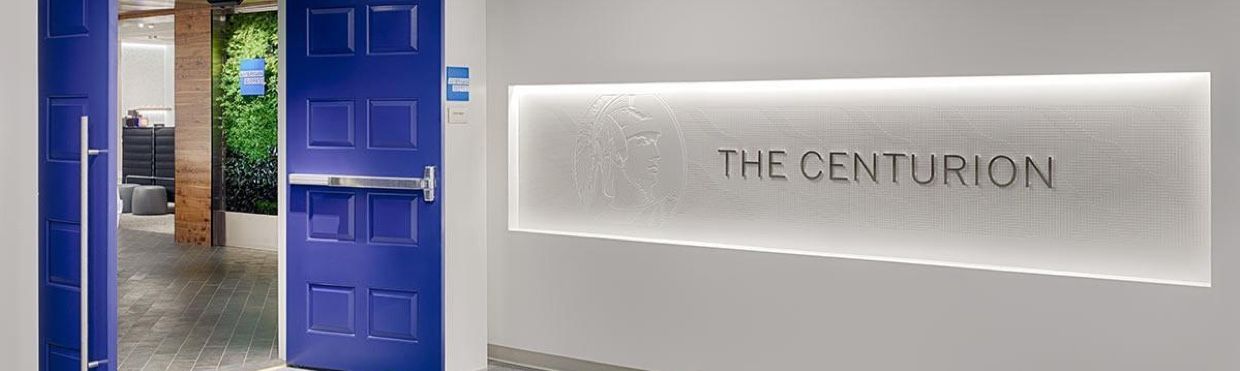
Eligible Card Members can now expedite the check-in process at US Centurion Lounge locations by joining the Digital Waitlist via the Amex® App if the lounge is at capacity.
US Platinum Card® Members and Delta SkyMiles® Reserve Card Members can add themselves to the Digital Waitlist by navigating to the relevant lounge page in the Amex App and selecting 'Join Waitlist.' When the Centurion Lounge is not at capacity, US Platinum Card Members and Delta SkyMiles Reserve Card Members can continue to check-in without a physical card and confirm they meet access requirements via the Amex App by selecting 'Get Eligibility Code.' Other Centurion Lounge eligible Card Members can join the waitlist by following instructions at the US Centurion Lounge location. See below for step-by-step instructions.
Available for US Platinum Card Members and Delta SkyMiles Reserve Card Members when you log into your account on the Amex App. MESSAGE AND DATA RATES MAY APPLY. International Platinum Cards, American Express prepaid cards, and cards issued by non-American Express issuers are not eligible to add themselves to the waitlist via the Amex App.
1
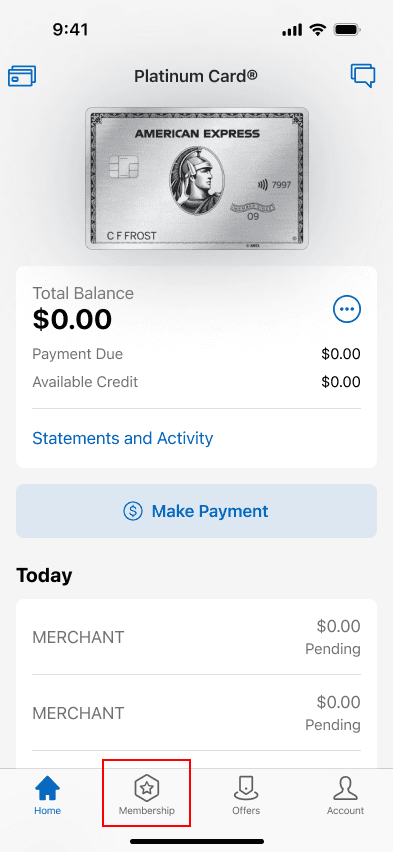
Select 'Membership' on the Amex Mobile homepage.
2
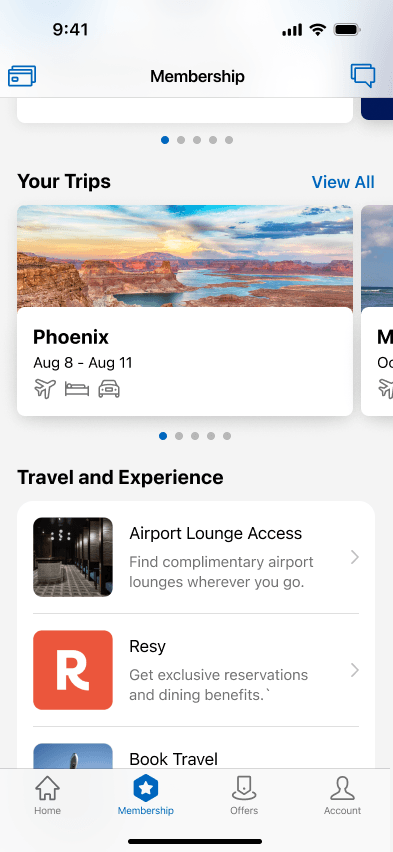
Select 'Airport Lounge Access' in the Travel and Experience section.
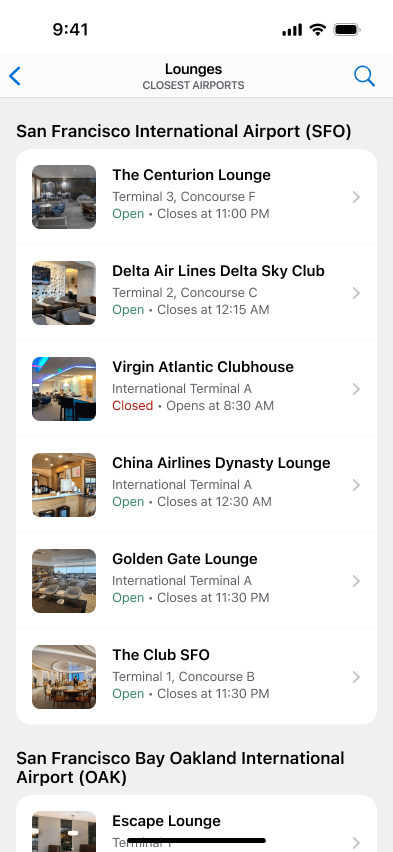
3
Select the US Centurion Lounge Location that you plan to visit.
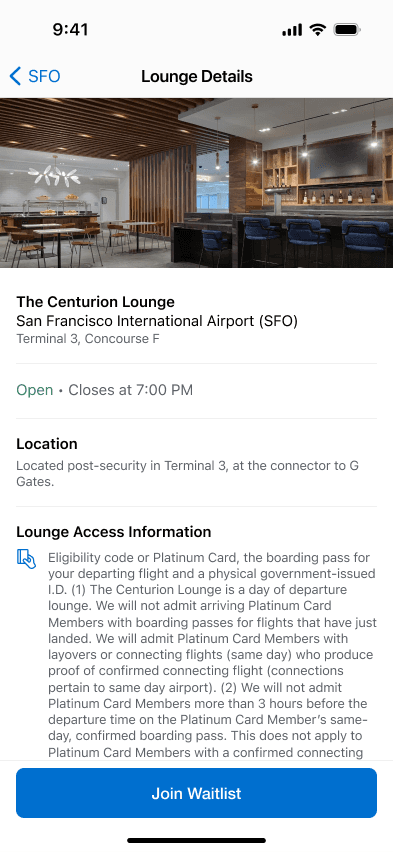
4
Select the 'Join Waitlist' button (if applicable).
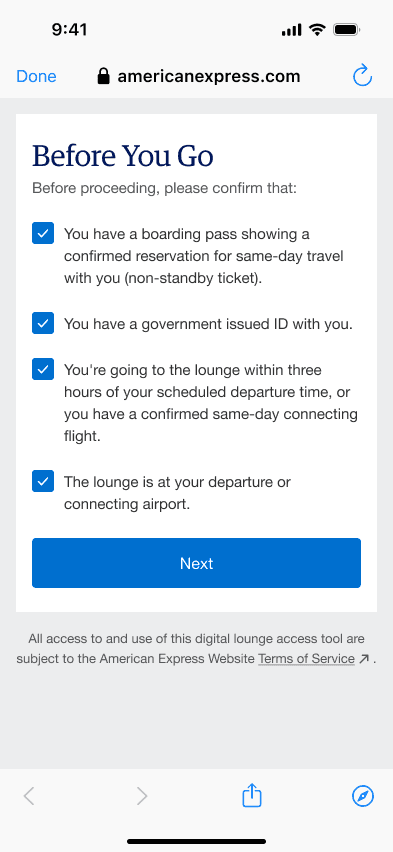
5
Carefully read and confirm that you meet the Centurion Lounge Access Policy requirements.
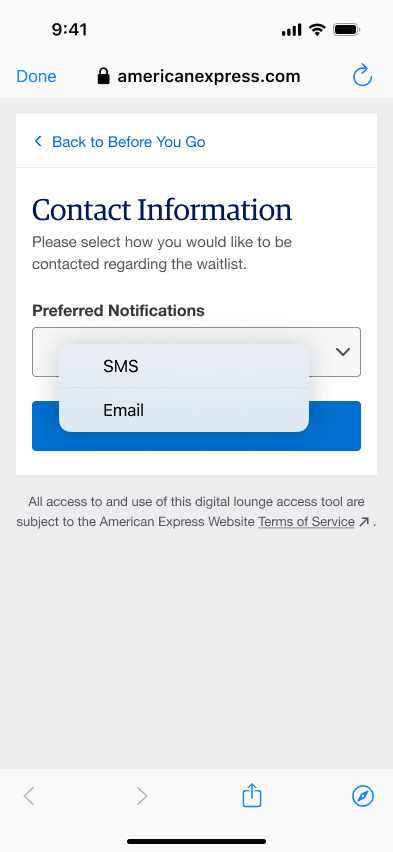
6
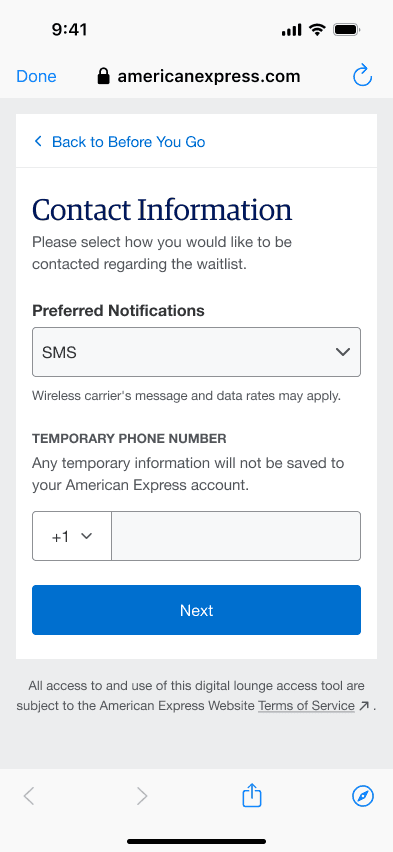
Select your preferred contact method: SMS or Email. Please select Email if your cell service provider has limited coverage in the airport.
7
Enter your phone number or email address.
8
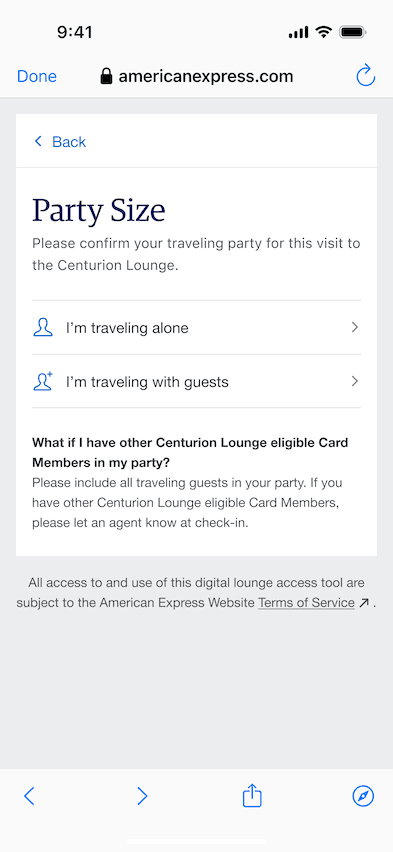
Select the option that best describes your traveling party.
9
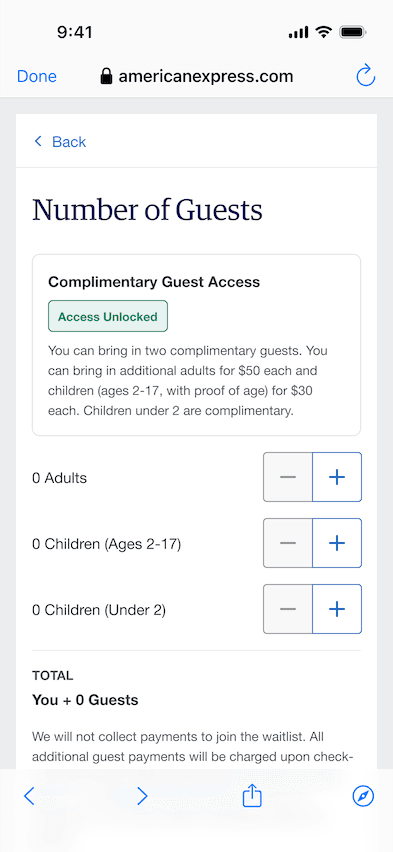
Confirm your total party size. Guest access fees may apply.
10
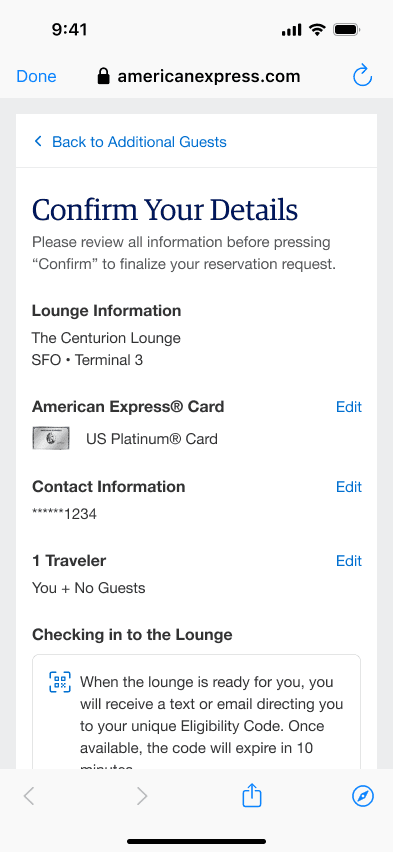
Confirm that the information you entered is correct.
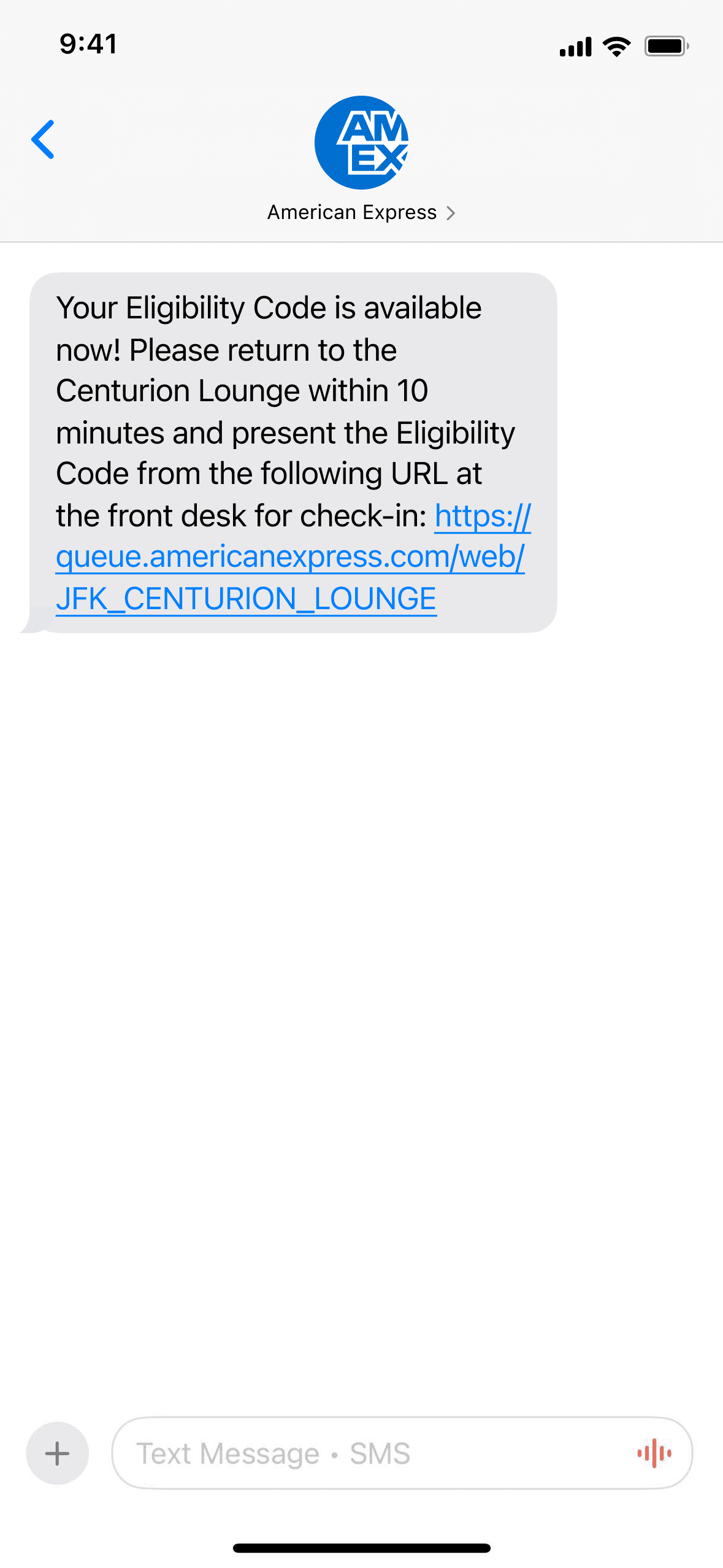
11
You will receive confirmation that you have been added to the Waitlist.
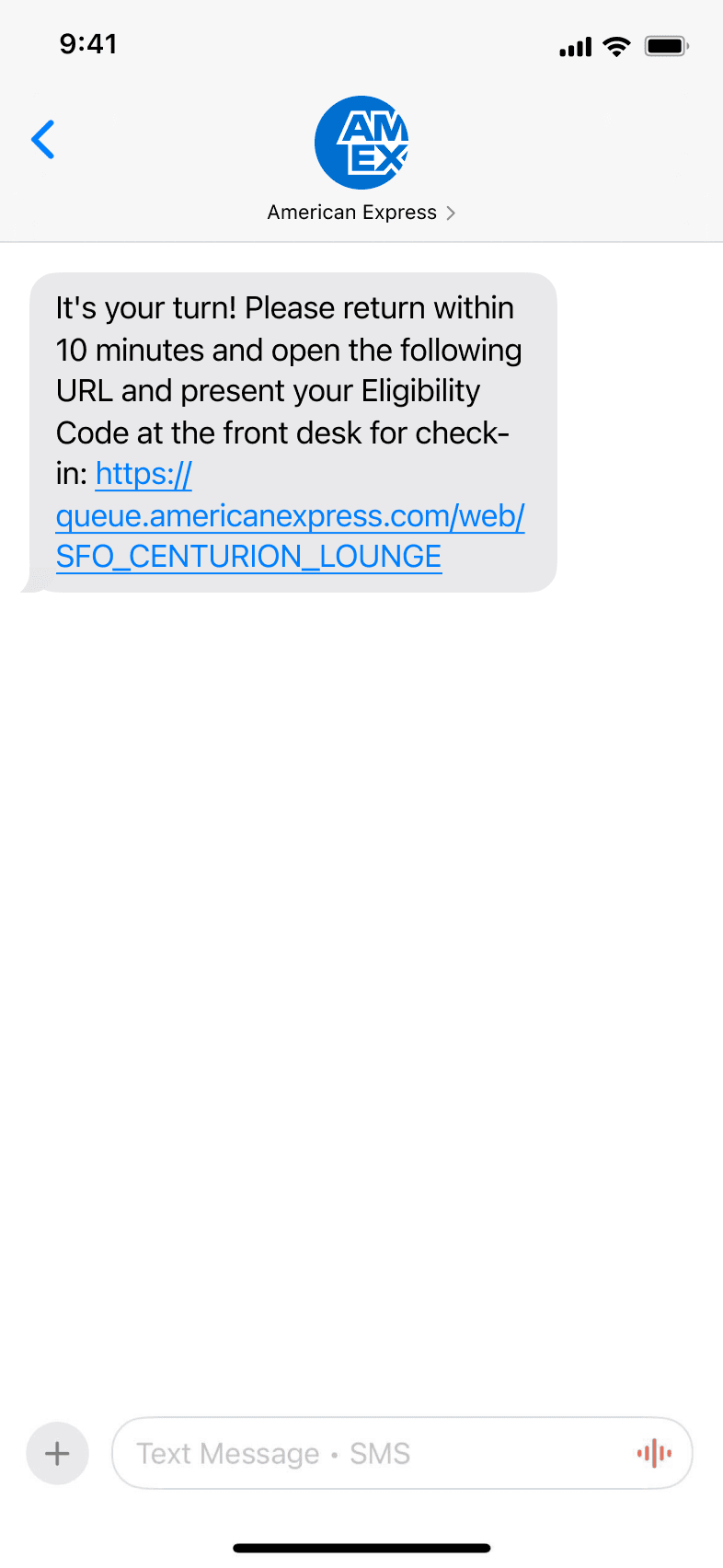
12
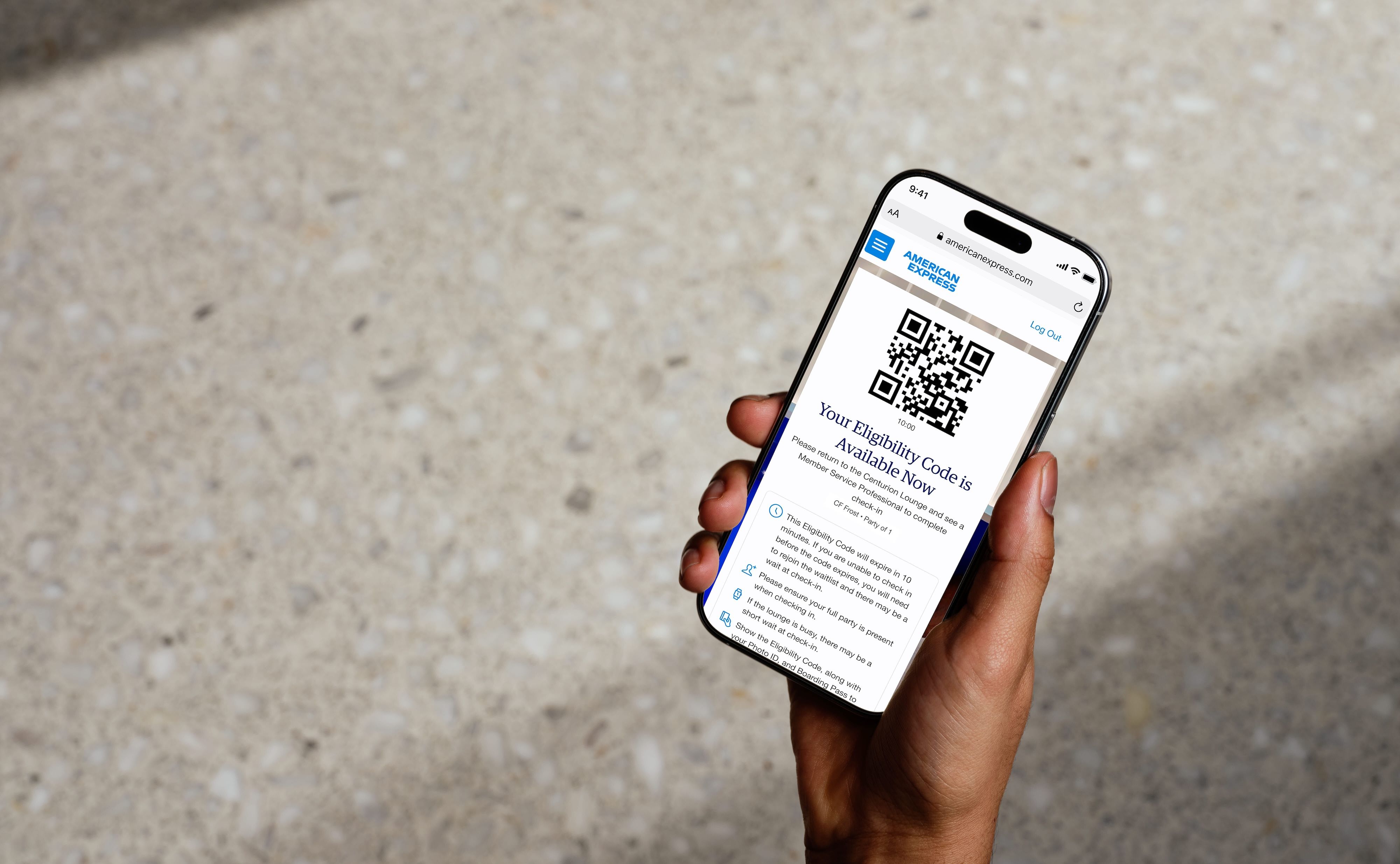
Wait until you receive the 'It's your turn!' notification and click the provided link to receive your Eligibility Code.
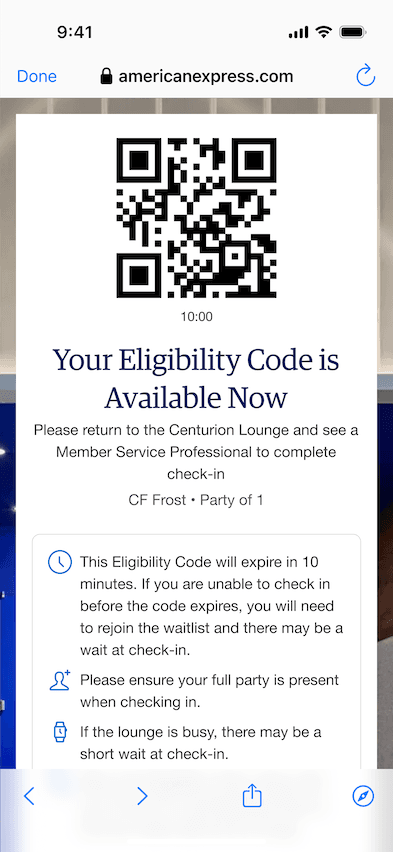
13
Return to the lounge within 10 minutes for check-in with your Eligibility Code.
1
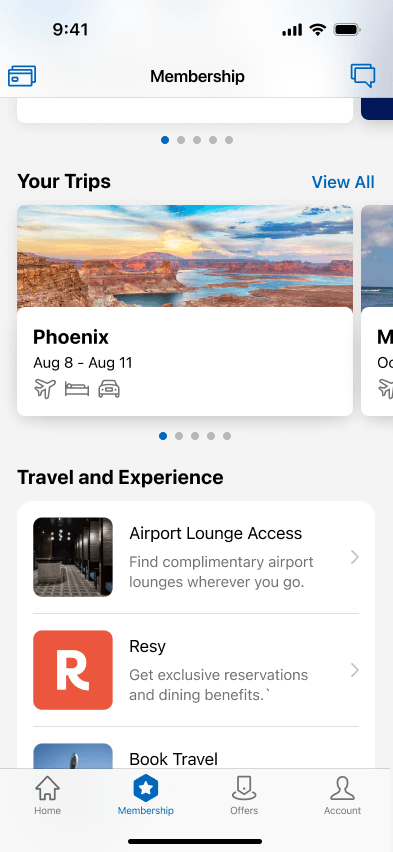
Select 'Membership' on the Amex Mobile homepage.
2
Select 'Airport Lounge Access' in the Travel and Experience section.
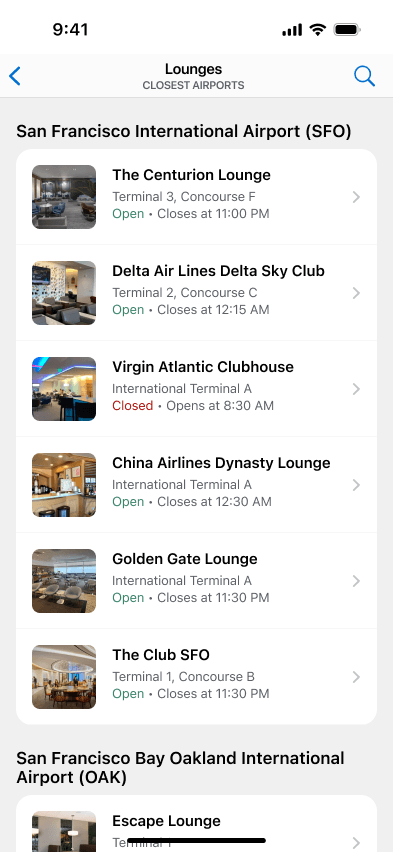
3
Select the Centurion Lounge Location that you plan to visit.
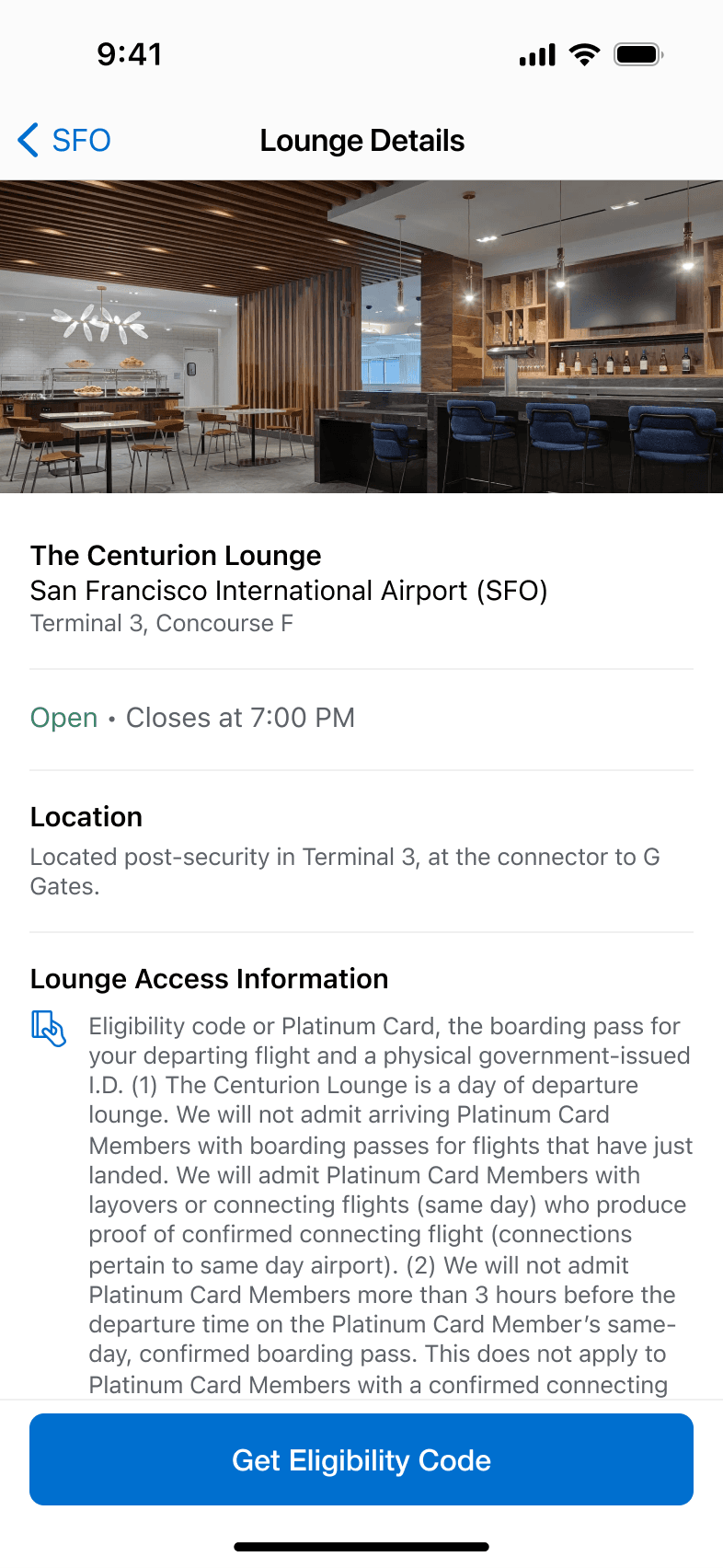
4
Select the 'Get Eligibility Code' button.
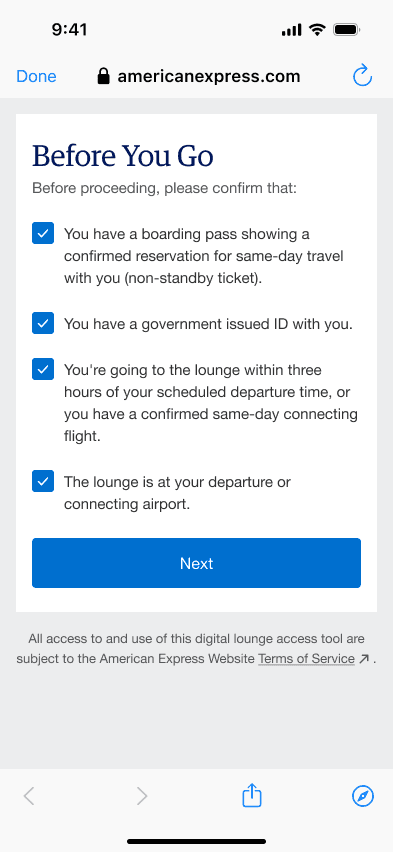
5
Carefully read and confirm that you meet the Centurion Lounge Access Policy requirements.
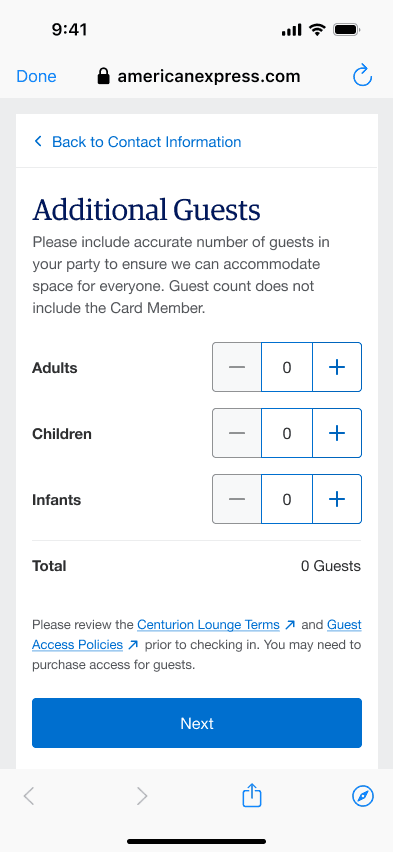
6
Confirm your total party size. Guest access fees may apply.
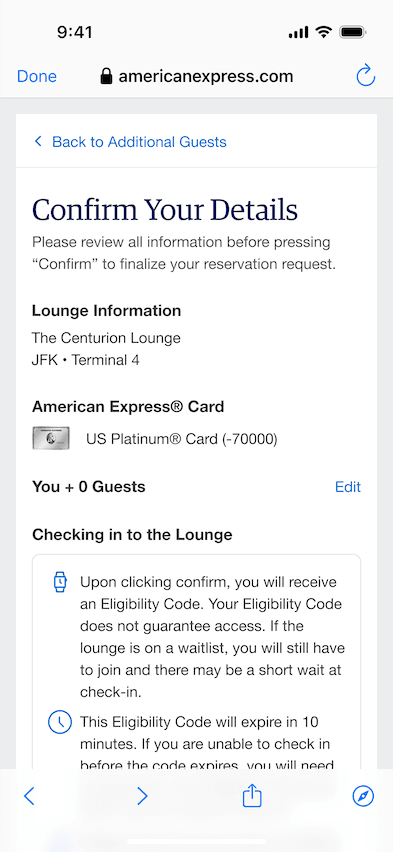
7
Confirm that the information you entered is correct.
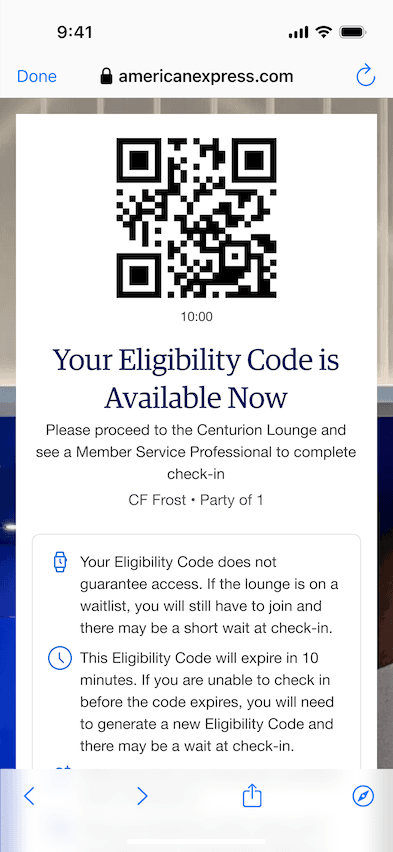
8
Present your “Eligibility Code” at the front desk to complete check-in.
Please note, this QR Check-in Code does not guarantee entry to the lounge, which is subject to capacity constraints and access terms.
Find lounges on the go by visiting the Membership section of the American Express® App.
Text FINDALOUNGE to 86509 for a link to download the App.**
**The American Express® App and app features are available only for eligible accounts in the United States. American Express® prepaid cards and Cards issued by non-American Express issuers are not eligible. To log in, customers must have an American Express user ID and password or create one in the app.
Apple, the Apple logo, iPad, and iPhone are trademarks of Apple Inc., registered in the U.S. and other countries. iOS is a trademark or registered trademark of Cisco in the U.S. and other countries and is used under license. App Store is a service mark of Apple Inc., Android is a trademark of Google LLC., Google Play, and the Google Play logo are trademarks of Google LLC.